5 Most Popular Online Logo Maker and Logo Generator Tools


Do you have a business, blog or anything online or offline than you might have always thought to create an attractive logo for your company so that people can have a nice recognizing power when it comes dealing with you. Well if we talk about the offline purpose there are many logo creator tools which comes in huge sizes though they offer a huge set of tools but still they need some knowledge to be operated so for that purpose we have online tools or website offering logo creation and manipulation services.

Below are the 5 online popular and best logo creating website which any one can use and give a shining branding to his or her business. These sites contains some preloaded logos which you can use for free and give a title to them to complete the whole set. You can add colors gradients and much more so jump into the websites and start exploring.


#1. LogoGarden.com
logogarden
LogoGarden allows you to create free logo + website with its massive preloaded logos database, you can manipulate your logo in anyway adding colors, rotating logo, adding text and much more.

#2. Logaster.com
logaster
Logaster also creates your logo entirely optimized for web, you can save your logo in vector format totally high definition work is carried out and you can choose among 6 different color schemes.

#3. LogoSnap.com
Logosnap
Logosnap also provides different categories from which you can choose your specific logo, you can find variants of those logo and give them a nice color change.

#4. LogoMaker.com
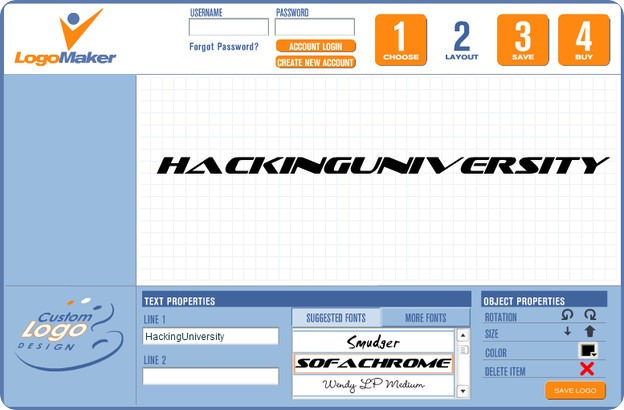
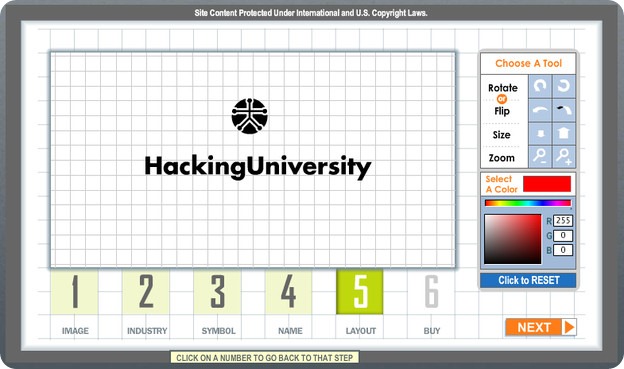
logomaker
Logomaker is highly popular among all logo creation services provides free services to create upto 6 jpegs and for high resolution you have to pay like $49 fee.

#5. LogoYes.com
logoyes
LogoYes is another fast and easy logo making online service which you can use to create your brand logo. You can create your logo, edit it until you are entirely satisfied and than share that with your friends to get opinions from them.

Comments

Popular posts from this blog

9 Free & Open Source Forum Software Solutions

Forums can be a great way to encourage audience participation, and to change a website from a one dimensional entity into a full fledged community. There are a number of well developed open source forums out there on the web to help you create that, each with their own benefits. This review breaks down some of the best software out there in 2011 with a focus on everything from lightweight forum solutions to the all singing, all dancing heavyweights. Vanilla URL: http://vanillaforums.org/ Features URL: http://vanillaforums.org/features/embed-vanilla License: GPL Runs on: PHP / MySQL / Postgres Vanilla has always prided itself on clean underlying code, bringing together web standards, code reuse and css to create a product that kicks lumps out of 1990′s bulletin software that we’ve become accustomed to on the web. With many of the forum software solutions out there on the web carrying a technical burden of tables and bloatware, Vanilla brings with it a fresh approac...

How to Enable Hidden Options in Windows’ Disk Cleanup Tool

How to Enable Hidden Options in Windows’ Disk Cleanup Tool The  Disk Cleanup tool  has been around in Windows for years. It offers a quick way to remove temporary, cache, and other non-essential files to help you free up some disk space. You can even use it to remove  old versions of Windows  after an upgrade to Windows 10. Disk Cleanup also has several hidden options that you can only access if you run it from the Command Prompt or a custom shortcut. Start by opening the Command Prompt with administrative privileges. Press Windows+X and choose “Command Prompt (Admin)” from the list of commands. At the Command Prompt, type the following command and then press Enter. cleanmgr /sageset:65535 /sagerun:65535 Note that where this command uses the number  65535 , you can actually use any number between  1  and  65535  as long as you use the same number in both places. The reason for this is that the  cleanmgr  command offer...

50 Amazing PC Hacks Which You Don’t Know

Today I am going to share  50 Amazing PC Hacks & Tips  which will make you Pro users  of your  windows 7, 8, 8.1, 10   Laptop or PC ,  these  amazing hacks  will help you in your daily tech lifestyle , I hope you don’t even heard of these kind of  50 secrete PC hacks at any social media platform , so let’s begin with  Amazing PC tricks  50 Amazing PC Hacks  #1 How To Access Your Folder As a Drive Go to start> run> cmd In command prompt, Type:  subst Z: D:\folder then hit Enter… You can replace Z: with your desired New Drive Letter (Except existing Drive letters) You can replace D:\folder with the path of your favorite folder Now, Type: exit This will creates a new drive & When you open this , it will open your folder. NOTE: On Restart the Virtual Drive Disappears . #2 How To Create Folder And Files With No Name This Hacks will allow...